> ## Documentation Index
> Fetch the complete documentation index at: https://wb-21fd5541-docs-1761.mintlify.site/llms.txt
> Use this file to discover all available pages before exploring further.
# Organize models
모델 태그를 사용하여 등록된 모델을 범주로 정리하고 해당 범주를 검색합니다.
1. [https://wandb.ai/registry/model](https://wandb.ai/registry/model) 의 W\&B Model Registry 앱으로 이동합니다.
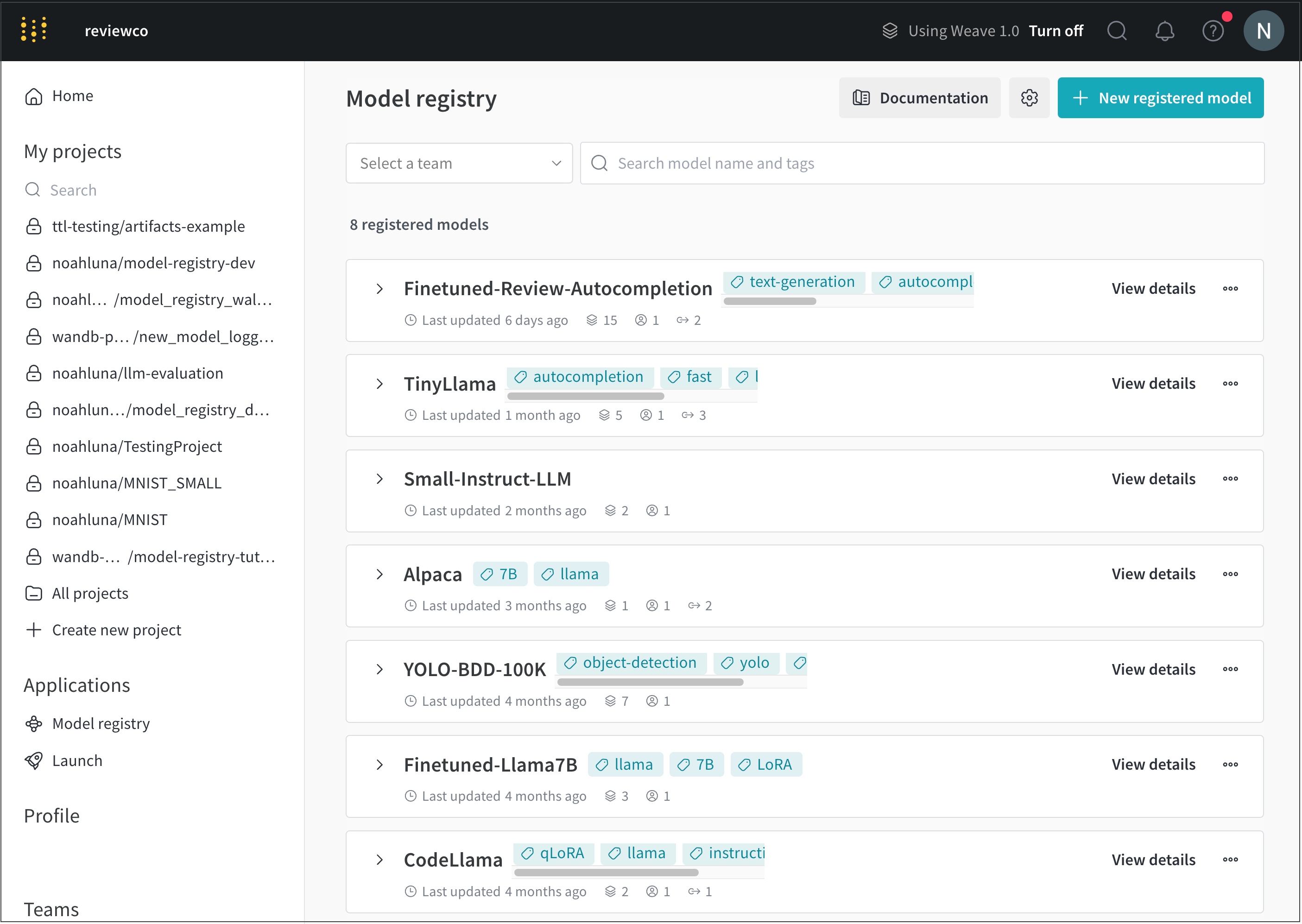
2. 모델 태그를 추가할 등록된 모델 이름 옆에 있는 **View details** 를 선택합니다.
 3. **Model card** 섹션으로 스크롤합니다.
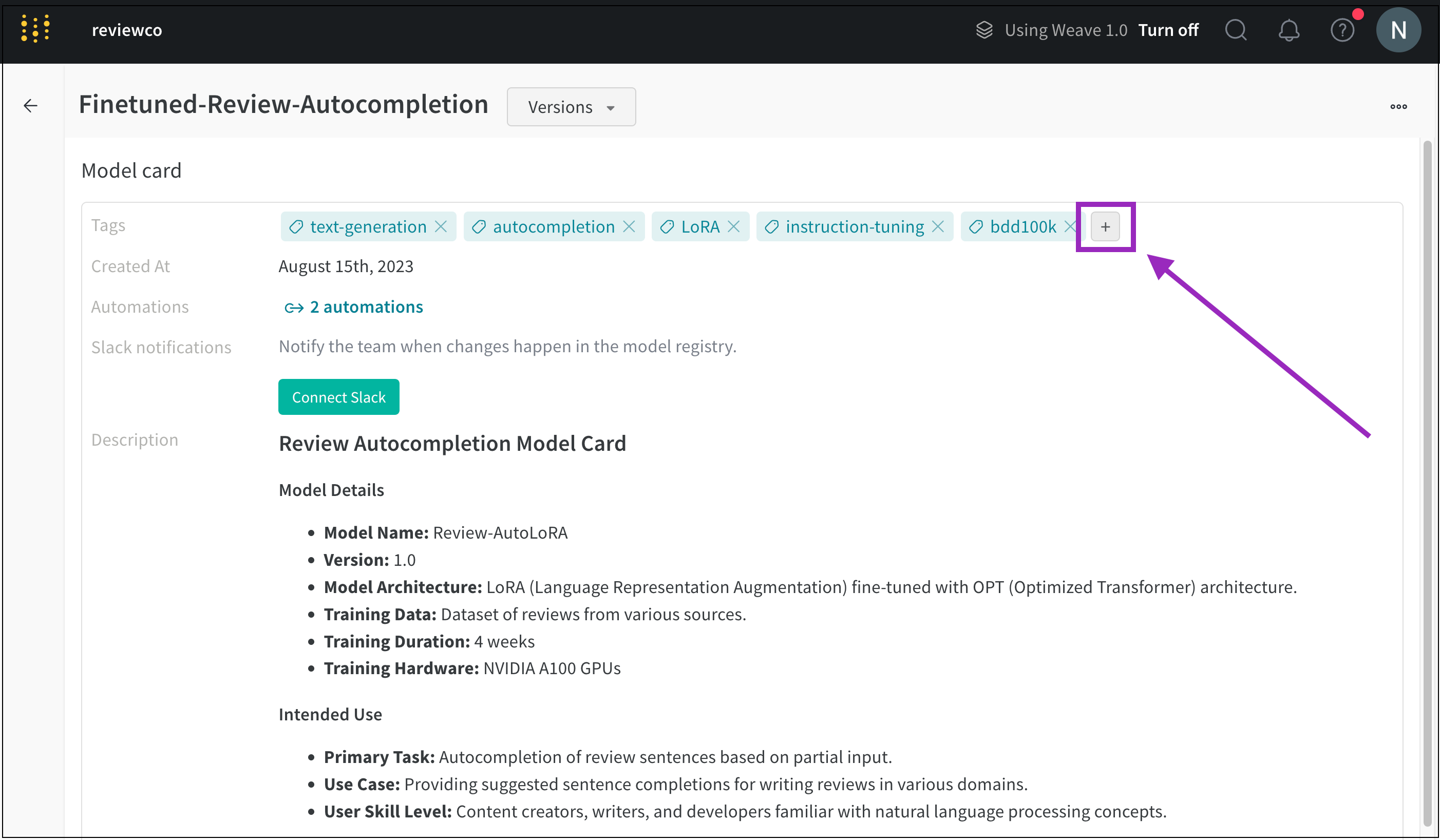
4. **Tags** 필드 옆에 있는 더하기 버튼 (\*\*) 를 클릭합니다.
3. **Model card** 섹션으로 스크롤합니다.
4. **Tags** 필드 옆에 있는 더하기 버튼 (\*\*) 를 클릭합니다.
 5. 태그 이름을 입력하거나 기존 모델 태그를 검색합니다.
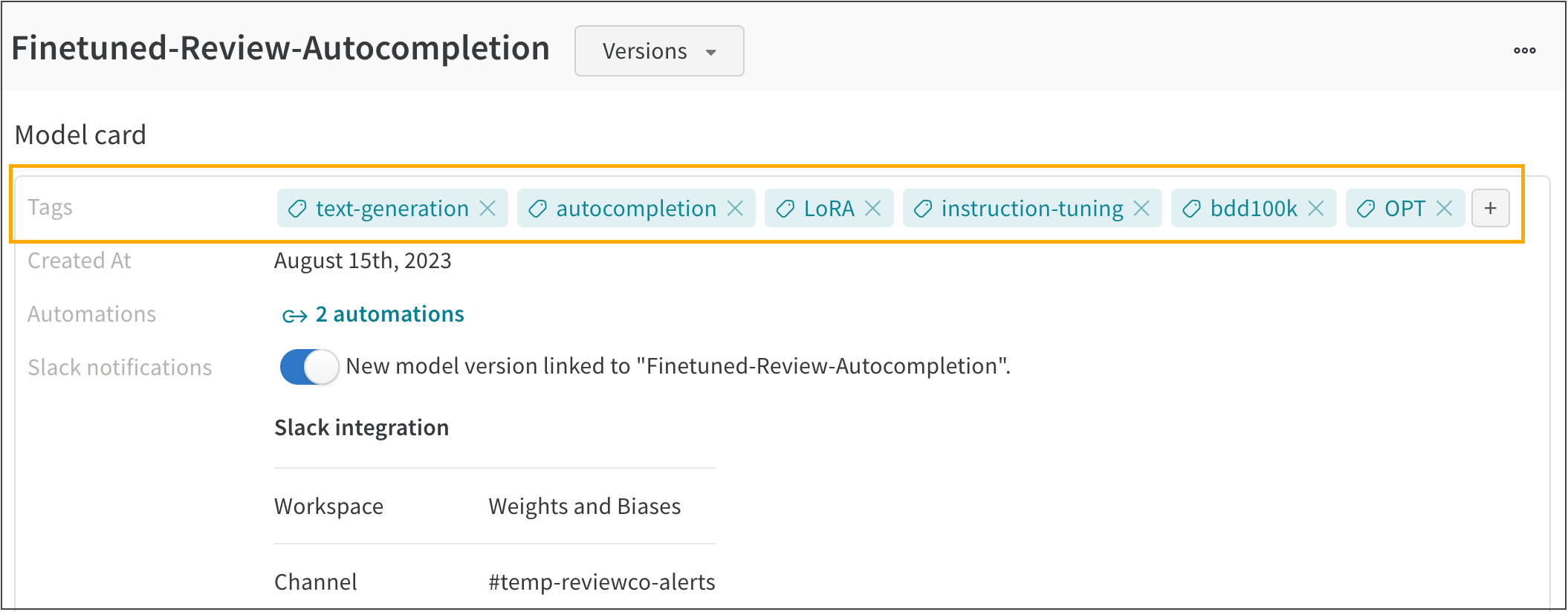
예를 들어 다음 이미지는 **FineTuned-Review-Autocompletion** 이라는 등록된 모델에 추가된 여러 모델 태그를 보여줍니다.
5. 태그 이름을 입력하거나 기존 모델 태그를 검색합니다.
예를 들어 다음 이미지는 **FineTuned-Review-Autocompletion** 이라는 등록된 모델에 추가된 여러 모델 태그를 보여줍니다.